Add U7777 to Your iPhone Home Screen
Use Safari to add an icon for the U7777 India lobby and get back to it from your iPhone Home Screen.
Find the iPhone route in the lobby
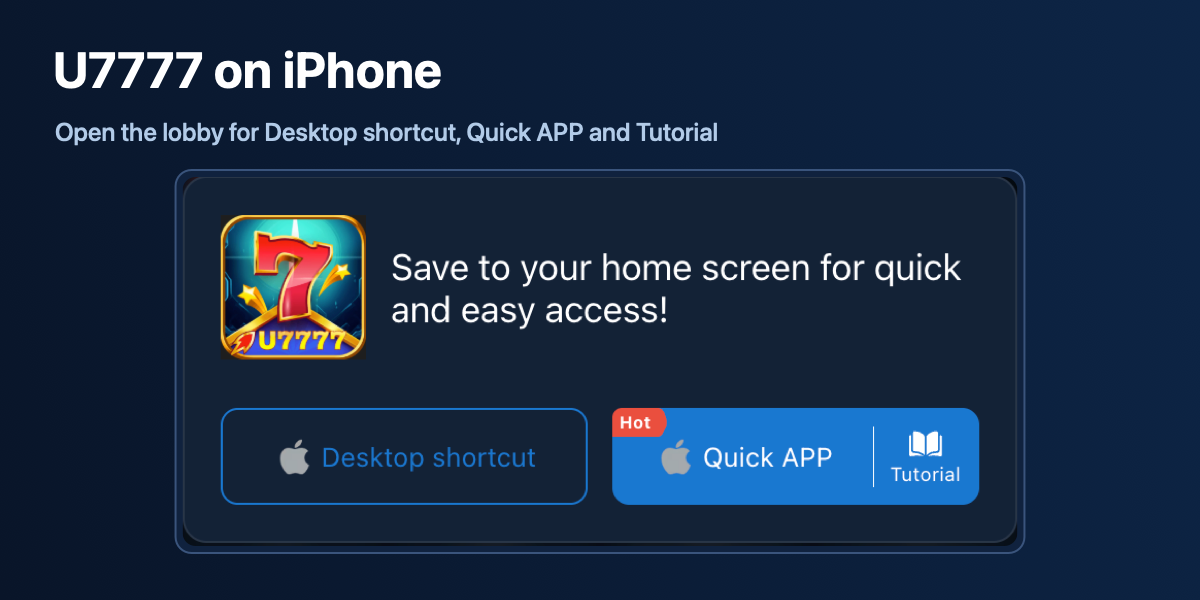
Open the India lobby in Safari and tap Download now. The iPhone menu shows Desktop shortcut and Quick APP. Tap Tutorial for the platform’s current guide. Use the Safari steps below when using the website shortcut.
Open the Share menu
Tap Share on the Safari toolbar. If it is inside the page menu on your Safari layout, open that menu first.
Add the shortcut
Scroll to Add to Home Screen. Confirm the name and use Open as Web App if Safari offers it. Tap Add and open the icon from your Home Screen.
If you cannot see Add to Home Screen
Scroll through the Share actions. If present, use Edit Actions to add the missing action. Return to Safari if the page initially opened in another app’s embedded browser.
If the shortcut opens the wrong page
Open the correct India lobby in Safari and check the country and currency shown. Add the shortcut from that page.
Common questions
Do I need an APK on iPhone?
APK is the Android file type. Use the iPhone options shown by the lobby.
Where do I check the correct lobby?
Use the U7777 India entry, then compare the displayed address and INR on the lobby.