
U7777 India Deposit Methods, Limits and Status
Open Deposit from the signed-in India lobby. Review the INR range, pick the method shown and keep the original order reference until the balance updates.
Open Deposit in the INR lobby
Sign in and tap Deposit beside Wallet balance. The screen offers Online deposit and Crypto. The INR range below applies to the online option.
Choose an online payment method
Select an option shown for your account and check its instructions before confirming.
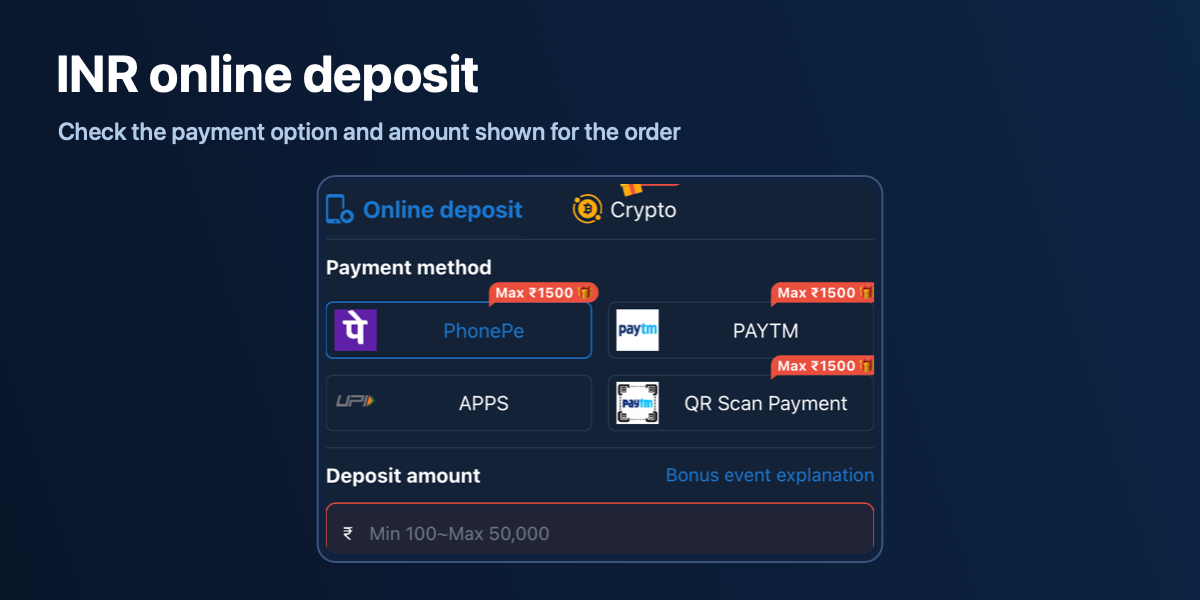
PhonePe, Paytm and APPS
Choose your payment app or APPS from the Online deposit tab. Enter the amount, then follow the platform prompt for the selected method. Confirm the amount in the payment app and keep its reference.
QR Scan Payment
Choose QR Scan Payment. If the order opens a QR, use the code for that order and confirm the payee and amount in your payment app. Keep the payment confirmation to compare with the platform record.
Crypto has its own tab
For Crypto, use the currency, network, address and amount shown together on the Crypto tab. Check that your sending wallet uses the same network. Use the limits and fee information for that option.
Deposit limits, fees and expected credit time
The INR online deposit range is ₹100–₹50,000 per transaction. U7777 charges no platform fee across the deposit methods. The stated credit time for a successful INR online deposit is within 60 seconds.
Complete and check the original order
- 1. Enter an amount within the on-screen range.
- 2. Choose the method and review the amount before approving.
- 3. After payment, return to the account and compare the deposit order with your payment confirmation.
If the payment was debited but the balance did not change
Open the deposit history and find the original order. Compare the amount, time and reference before paying again.
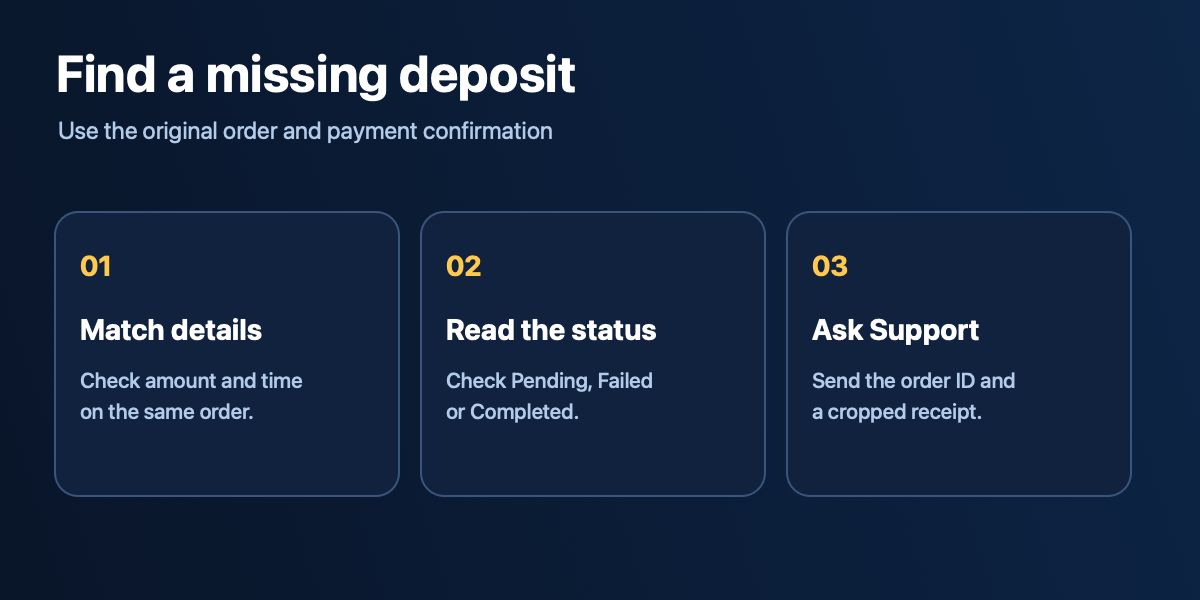
Read Pending, Failed or Completed correctly
If Pending, keep the order open and check its next status. If Failed and your bank shows a debit, keep the receipt and ask Support. If Completed and the wallet did not update, use the original reference to ask for a credit check.
Send a clear payment request to Support
Share the order ID, payment reference, amount, time and status. Crop out account and card numbers, PINs and passwords. If the payment completed after an order expired, include both times.
Questions about U7777 deposits
How much can I deposit online?
₹100–₹50,000 per INR online transaction.
Is there a platform charge?
U7777 charges no platform fee across its deposit methods.
When should my balance update?
U7777 lists up to 60 seconds for a successful online deposit. Check the order if the balance has not updated.
Can I use PhonePe or Paytm?
Both are shown in the INR Online deposit tab, alongside APPS and QR Scan Payment.
Is Crypto covered by the INR limits?
Refer to the currency, network and limits on the separate Crypto tab.
Should I pay again if the order is pending?
Check the original order and your payment confirmation before starting another payment.
What should I send if a debit is missing?
Send the platform order ID, payment reference, amount, time and current status to Support.