
U7777 India Official | App and Game Lobby
Open U7777 India Official to find the Android download, open the iPhone quick-access guide or sign in to your account.
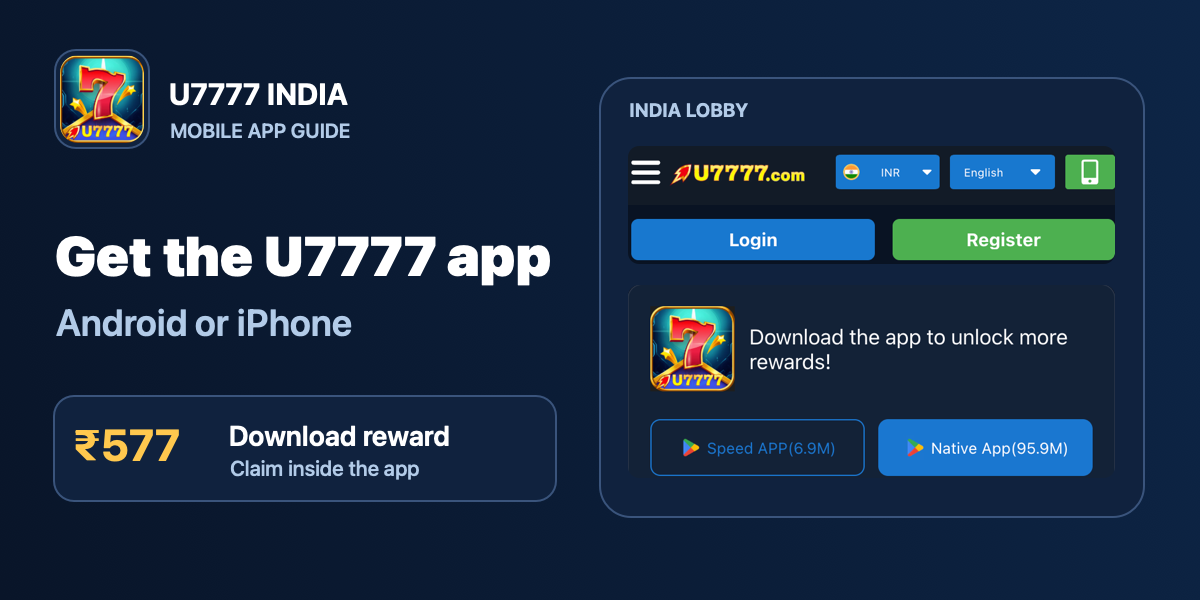
The Android version is v2.1.9. Choose Speed APP for a 6.94 MB download or the 95.88 MB Native App for the 64-bit full-resource build. After downloading, open the app and follow the ₹577 reward prompt.
| App | U7777 |
| Android release | v2.1.9 |
| India lobby | English and INR at the tested entry |
| Android requirement | Android 5.0+; check the selected build |
| Speed APP | About 6.94 MB |
| Native App (64-bit) | About 95.88 MB |
| iPhone access | Safari, Desktop shortcut and Quick APP guide |
| Browser access | Open the mobile lobby directly |
| App reward | ₹577, claim inside the downloaded app |
| Help | Support tab, 24/7 Customer Service and Help Center |
Choose your Android version
Start with Speed APP for the smaller download, or select the 64-bit Native App with its bundled resources.
Add U7777 on iPhone
Open the lobby in Safari and use Share to add an icon to your Home Screen.
Find the ₹577 app reward
Look for the pinned banner, download through the platform and follow the reward pop-up inside the app.
Get back to your account
Use password or SMS login. Login Help shows all three identity-verification options.
Find the right U7777 download
Tap Open U7777 on this page. In the India lobby, look above the logo and choose Download now. The available options depend on your phone.
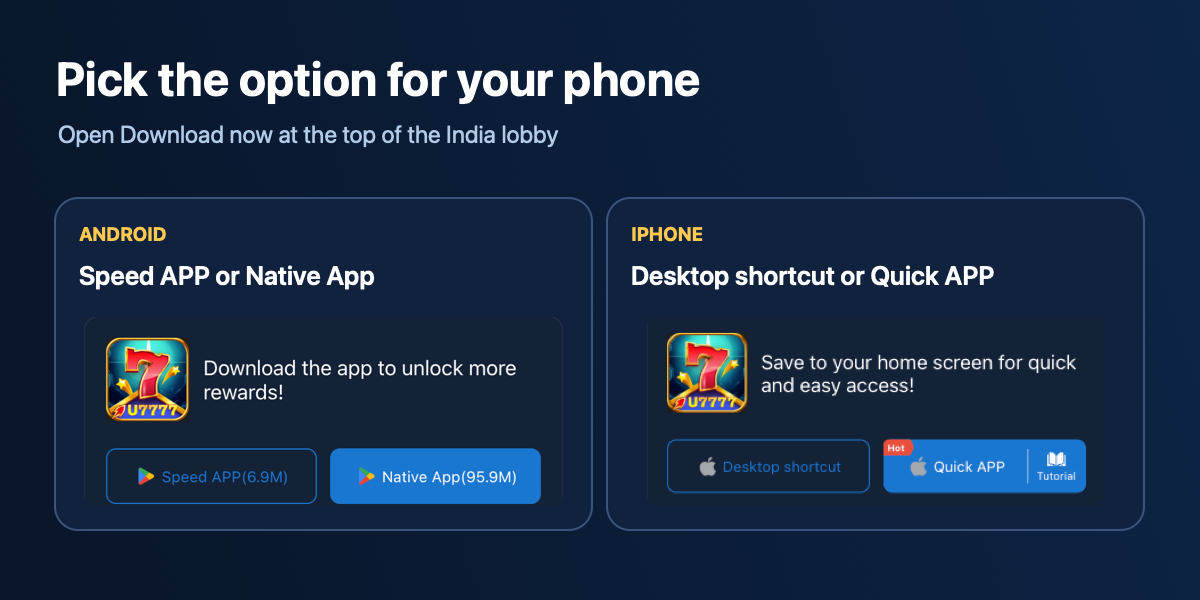
Android: Speed APP or Native App
Both are shown in the Android download menu. The Speed APP uses less download data. Choose the Native App if you want the 64-bit build with full resources and have room for the larger download.
- Speed APP: about 6.94 MB, displayed as 6.9M.
- Native App: about 95.88 MB, displayed as 95.9M.
- The Android guide covers install permissions, incomplete files and updates.
iPhone: Open in Safari or add a shortcut
Start in Safari and use the Quick APP tutorial or Desktop shortcut panel. When the instructions call for a Safari shortcut, tap Share, Add to Home Screen and Add.
Open the India lobby in the browser
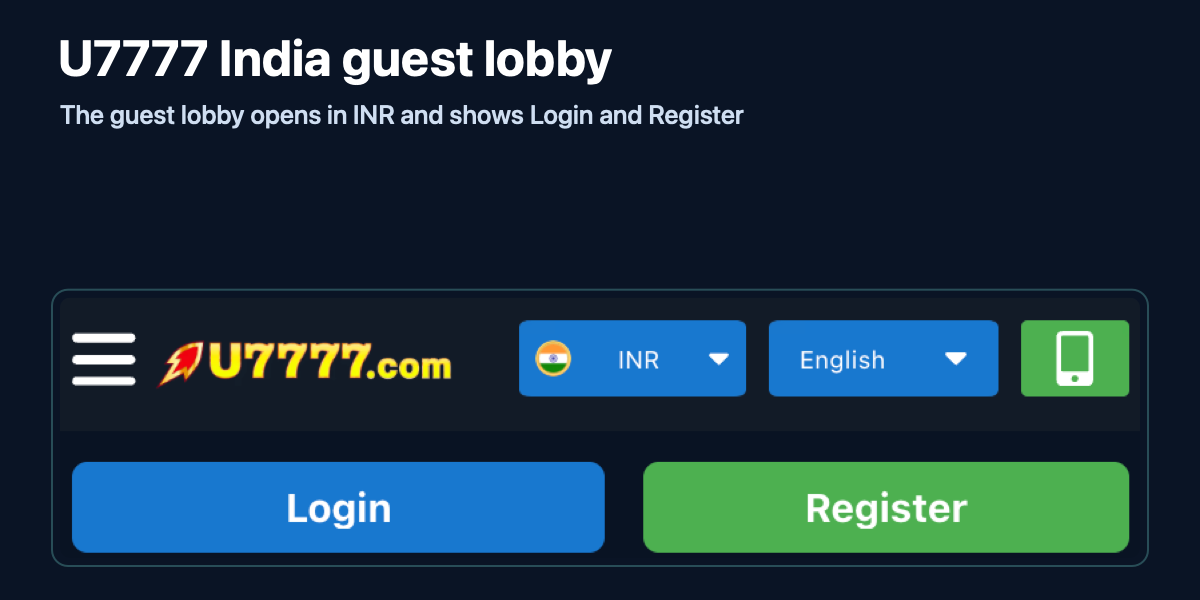
Use the web lobby to browse on your phone without first installing a file. The guest lobby shows INR, Login and Register at the top, followed by Search and the game categories.
Claim the ₹577 app download reward
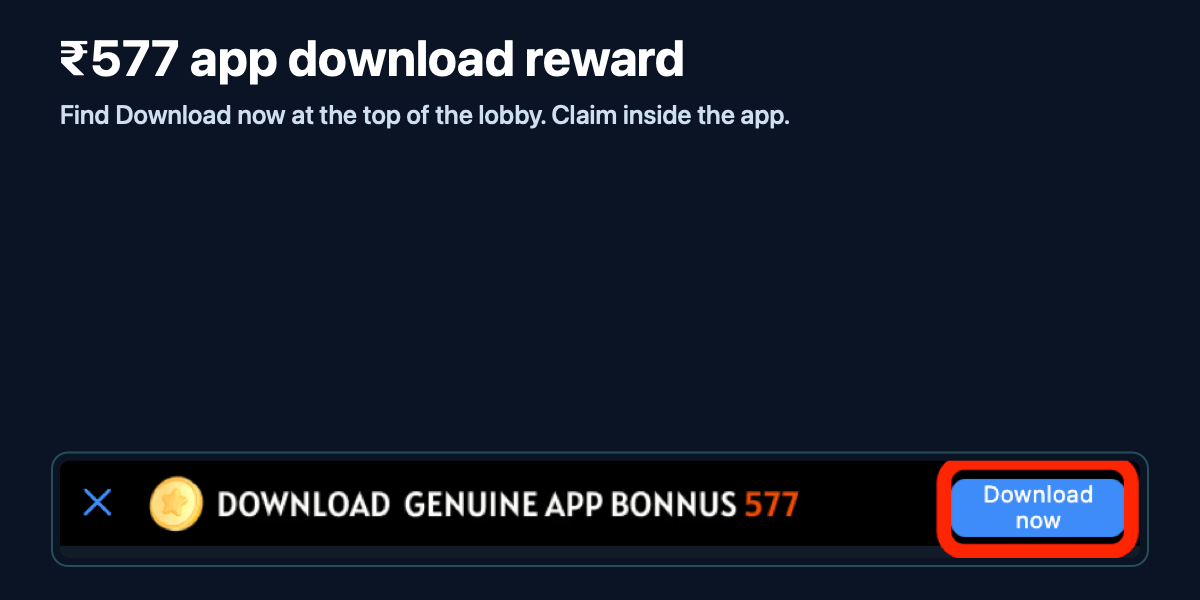
Tap Download now in the pinned ₹577 banner at the top of the India lobby. After downloading, open the app and follow the reward pop-up to claim inside the app. The offer has no set expiry date.
Know which offer you are opening
The ₹577 download reward appears in the top banner. First Deposit Extra Reward has its own card and claim conditions under Promo. Read each card before taking the next step.
Browse Hot games in the U7777 lobby
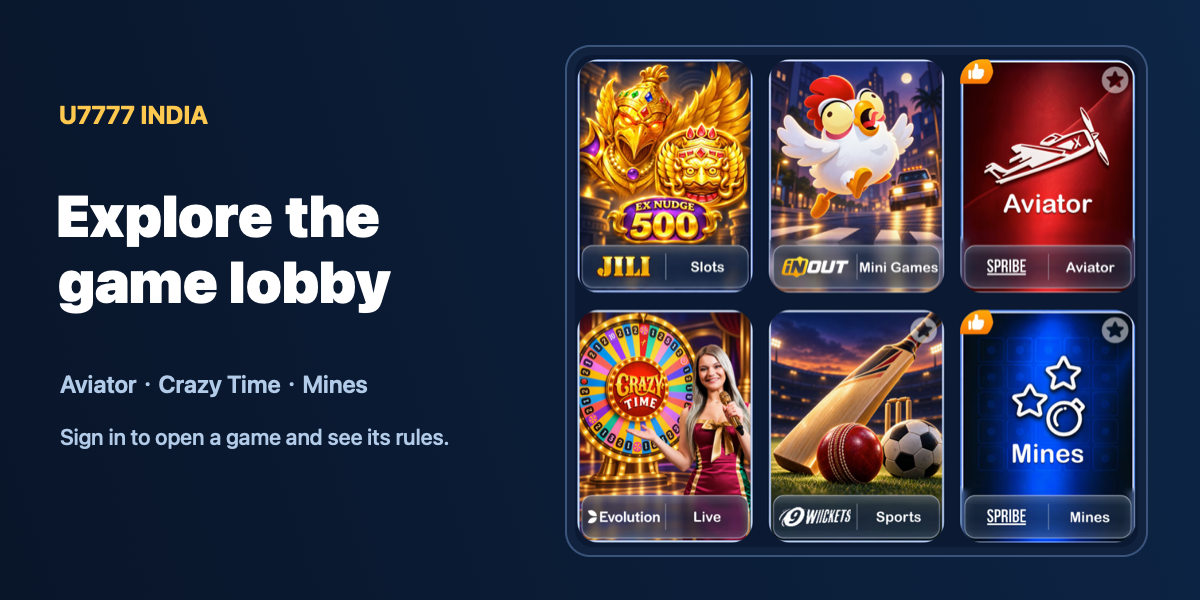
Open Hot to see the games featured in the India lobby. The checked display included Spribe’s Aviator and Mines, Evolution’s Crazy Time and a selection of slot and sports titles.
Use Search when you know a title. Featured tiles can change. Sign in to open a game and read its rules.
Slots and quick games
The lobby shows JILI slots and an InOut Mini Games tile. Use the provider and category labels to find a game and review its own instructions.
Cards, live games and fishing
Use Cards or Poker for table games, Live for live games such as Evolution’s Crazy Time, and Fishing for its own category. Sign in or register before opening a title.
Aviator, sports and favourites
The lobby screenshot includes Spribe’s Aviator and Mines and a 9Wickets Sports tile. Look up a title using Search, or use Favorites to return to saved games after sign-in.
Sign in or register in the India lobby
Tap Login if you already have an account. To set up a new account, choose Register and check the +91 mobile field, INR and the User Agreement before submitting.
Password, SMS or account recovery
Use Password Login with your registered phone number or account. Code login displays the +91 number field and Get Code. Choose Forgot Password to start identity verification or get help from Customer Service.
Which U7777 offer are you looking for?
The ₹577 app download reward appears in the lobby’s pinned banner and has an in-app claim prompt. First Deposit Extra Reward and Fund have separate cards under Promo.
Check eligibility, the claim time and turnover terms for the offer shown to your account. The two deposit-linked offers use different turnover calculations.
First Deposit Extra Reward
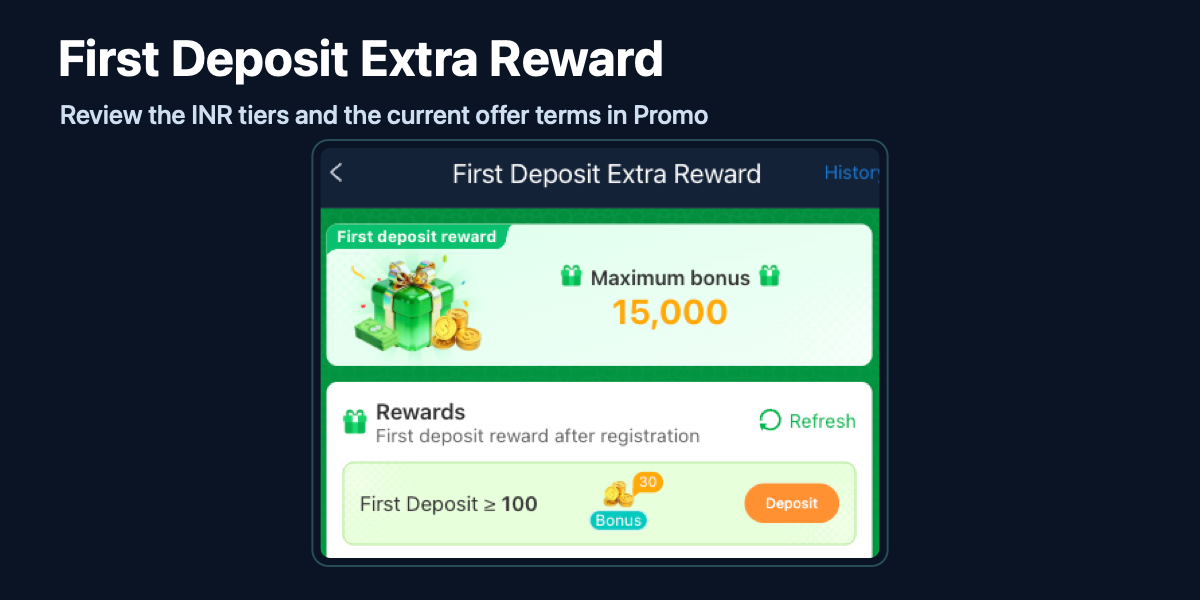
The checked INR card lists ₹30 for a ₹100 eligible first deposit and ₹15,000 at the ₹3,00,000 tier. The app claim opens from 07:00 the next day, and the bonus requires 5× valid turnover before withdrawal. Check your event deadline.
7% Fund and how to check a claim
Under Promo → Fund → Rules, the checked card shows 7% on a qualifying single deposit of at least ₹300. It requires SMS verification and valid wagering of 10× the qualifying principal before a transfer to balance. Check Unclaimed for rewards that still need action.
Manage INR deposits and withdrawals
The Deposit screen shows APPS, PhonePe, Paytm and QR Scan Payment under Online deposit, with a separate Crypto tab. Use the page in the main menu for limits, fees and failed-payment checks.
Check the deposit or bank withdrawal range
INR online deposits range from ₹100 to ₹50,000. Bank withdrawals range from ₹110 to ₹20,000 per request. U7777 charges no platform fee across its deposit and withdrawal methods. See Deposit Help and Withdrawal Help for the timing and order checks.
Choose the best way to get help
For a missing download or a Safari problem, start with Download. For a blocked login, start with Login Help. For an account or transaction query, open the lobby’s Support tab and choose 24/7 Customer Service.
Check before you download from a search result
Look at the full address of the page you opened. Start the download from the U7777 India lobby and watch for the build names on this page. The Guides menu includes a step-by-step guide to checking app sources.
U7777 India download FAQ
Where is Download now?
Open U7777 and look at the top of the India lobby for the pinned ₹577 download banner.
Which Android version should I pick?
Speed APP is about 6.94 MB. The 64-bit Native App is about 95.88 MB and includes more resources. Check your device and the live menu before selecting.
What Android version is required?
The stated baseline is Android 5.0 or later. Check the requirements of the specific build shown on your phone.
Can I use U7777 on iPhone?
Open the India lobby in Safari. Follow the Quick APP tutorial or add a Home Screen shortcut when the guide offers it.
Can I browse without installing an app?
Yes. Use the mobile browser lobby to browse categories and reach Login, Register or Support.
How do I claim the ₹577 download reward?
Use the pinned banner to download. Open the downloaded app and follow the reward pop-up to claim ₹577 inside the app.
Which currency is shown in the India lobby?
The tested entry opens in Indian rupees, marked INR. Review the currency again before registering.
How do I recover a forgotten password?
Tap Login and Forgot Password. Choose the email, phone or account identifier linked to your account and follow the identity prompt.
Where can I see full reward terms?
Open Promo and select the relevant card. For First Deposit Extra Reward, check turnover on the bonus. For Fund, check it against the qualifying deposit principal. Check the claim deadline shown for your account.
How do I contact U7777?
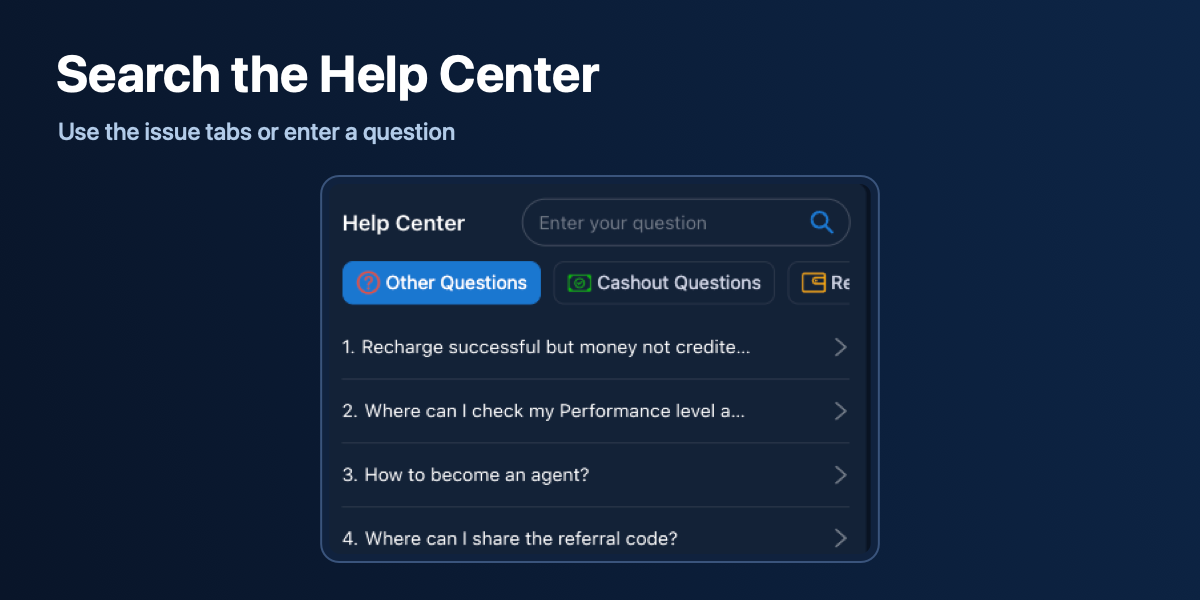
Open Support in the lobby. Choose the Message Center’s 24/7 Customer Service or search the Help Center.